Quick Summary
A successful mock load does not prove migration success. Its log shows that a job ran. What it cannot reveal is missing, changed, duplicated or incorrect data. Those gaps can surface after go-live. This article shows how ChainSys Smart Data Platform compares Source, Loader and Target in every mock to give business owners evidence they can sign.
The log counts processed and failed records. It cannot answer:
On Oracle’s June 2026 earnings call, its co-CEO said more than 300 Fusion customers went live in a single quarter (Oracle Q4 FY2026 earnings call). For each go-live, someone had to decide whether the migrated data was ready for the business to use.
Think of a manufacturer: even when the production line runs as planned, the product still needs inspection before it ships. A mock conversion deserves the same scrutiny. What can you prove about the data that made it into Fusion?
Gartner predicts that by 2027, more than 70% of recently implemented ERP initiatives will fail to fully meet their original business case goals (Gartner). Data problems can keep a project from delivering what it promised. And they often show up after go-live, when they’re harder and costlier to fix:
ChainSys Smart Data Platform uses three-way reconciliation in every mock, comparing legacy data (Source), prepared data (Loader), and what landed in Oracle Fusion (Target).
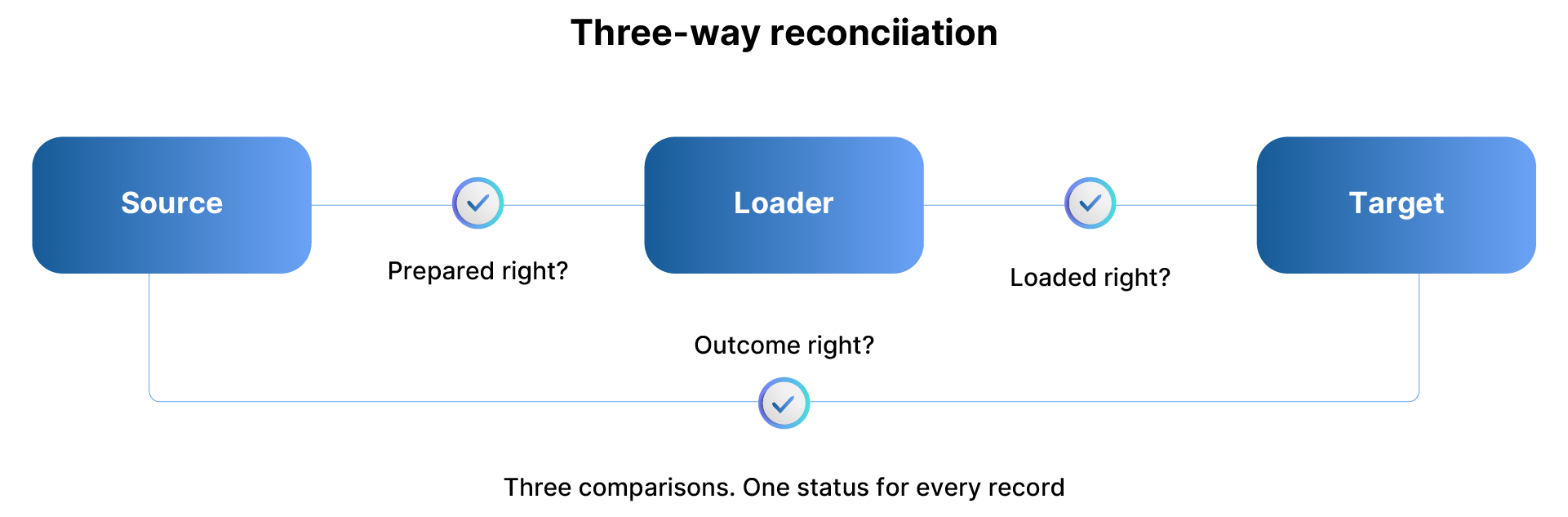
Smart Data Platform runs all three comparisons in one reconciliation. Each record has an overall status, and each compared field has its own result. When two data sets differ, the third helps you see whether the issue happened before or during the load.
Compare the legacy Source with the prepared Loader data before importing it into Oracle Fusion. This shows whether the records you plan to load reflect the approved filters and transformation rules.

Some differences are expected. A changed code or added default should trace to an approved rule. A filtered record needs a documented reason. If duplicates were merged, a cross reference should show which record survived. Catch errors here, before they reach Fusion and become harder to fix.
With Oracle File-Based Data Import (FBDI), uploading the file is only the first step. The file enters interface tables, then a separate import moves eligible records into the application tables (Oracle FBDI documentation). The upload may succeed even if the import rejects some records. To see what landed, compare the Loader data with data read back from Fusion.
Smart Data Platform reads Target data through Oracle Fusion BI reports. Before trusting that extract, check three things:

Fusion may generate IDs and apply defaults, so compare the values the business controls. If the report omits a row, you cannot conclude that the row is missing from Fusion. An incomplete extract can create false exceptions and hide real ones.
Finance and audit need to trust the Source-to-Target comparison before they sign off. Check three things:
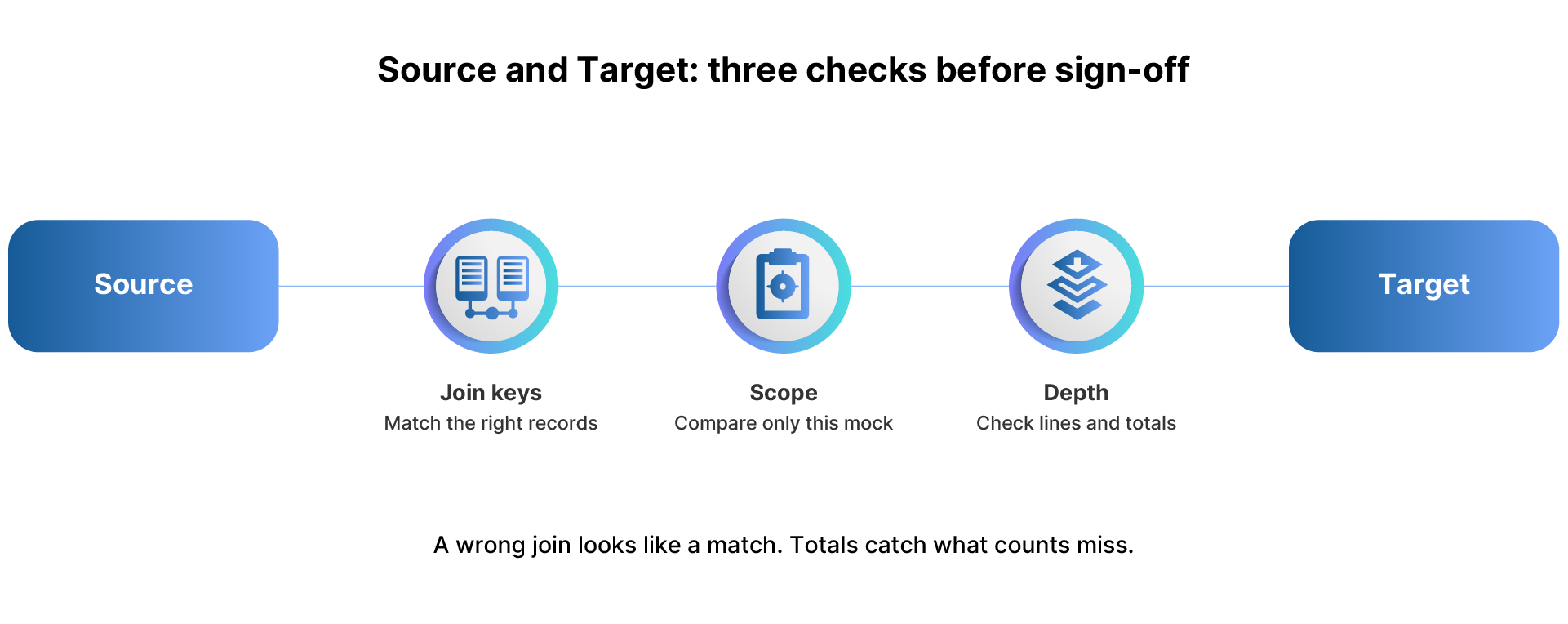
A wrong join can make the wrong records look matched. Business totals can catch gaps that record counts miss.
Smart Data Platform assigns each record one of nine statuses, grouped here into five signals:
Each status points to a stage and owner, turning exceptions into a work queue.
Each mock should show whether the migration is improving. A higher match rate tells you little if you checked fewer fields this time. Keep the results comparable:
Smart Data Platform versions each reconciliation and can restart error records at prevalidation, helping you compare mocks without reloading successful records.
In practice. A Fortune 500 financial services company moved 45 master and transaction objects and 250 setups from Oracle E-Business Suite to Oracle Cloud in eight months. It had strict, regulated data validation rules. In each of its four conversion cycles, business users approved a pre-load validation report before the load. After the load, they checked a post-load reconciliation report against the data in Oracle.
1. What did we choose not to load, and who approved it?
2. Was Target data read back from Oracle Fusion after the import, with full access?
3. Do receivables, payables and GL balances tie to the legacy trial balance?
4. Which exceptions remain open, and who owns them?
5. Did the last two mocks use the same checks, and did the results hold?
Weigh the answers by risk. One wrong bank account matters more than hundreds of mismatched descriptions. At cutover, run the same reconciliations and keep the sign-offs.
A completed load still leaves one question: can you trust the data? Compare Source, Loader, and Target, use the right join keys, verify the extract is complete, and check business totals. That gives your team evidence it can sign off on. Oracle Fusion’s AI features use the data you load, so reliable AI outcomes start with data you’ve verified.
ChainSys has used this approach across 500+ data migration projects, with 99% data accuracy.
Know what made it into Fusion before your business has to rely on it: Request a reconciliation demo.